

|
|
|
|
Prerequisites 1. Select a Package. 2. On package details page with "Dependencies"
tab on, click on "New Version" action button with 3. On the next page, type in a new version. 4. Click on SUBMIT button to finish. New package version will be created with dependencies
auto-updated to the latest in your release.
See also |
 icon.
icon.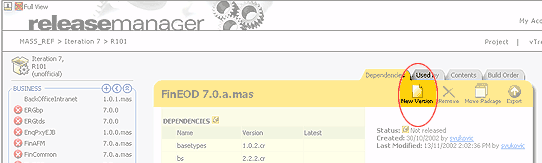
 icon.
icon. See
how
See
how